Webflow vs Lovable: Which Builder Is Right for You?
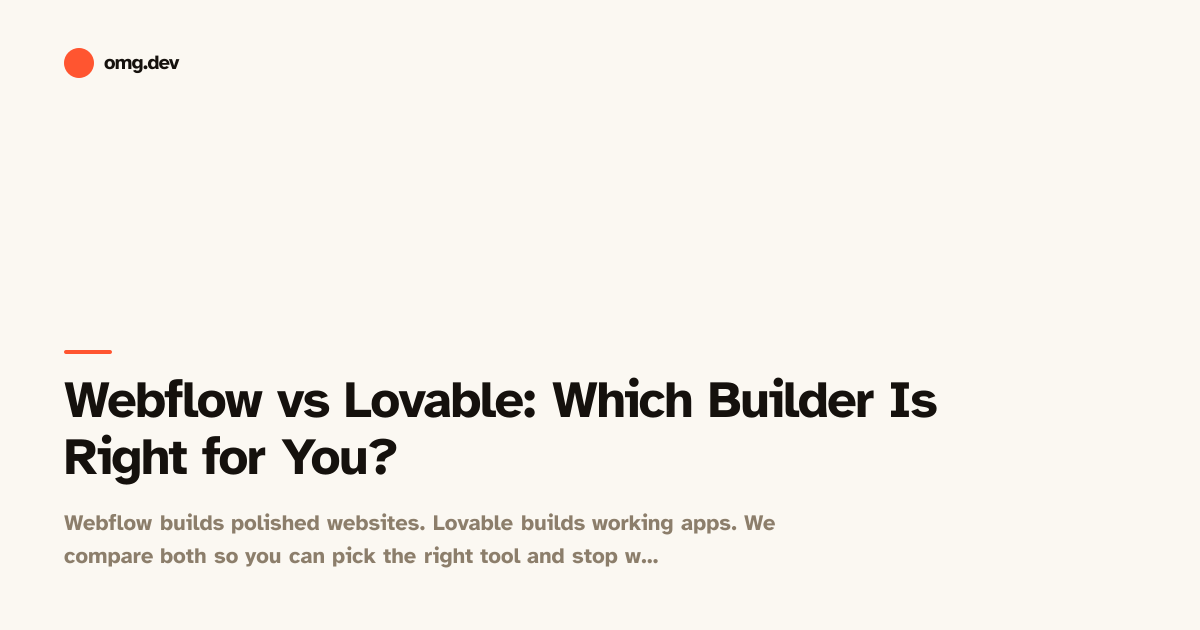
Webflow builds polished websites. Lovable builds working apps. We compare both so you can pick the right tool and stop wasting time on the wrong one.
TL;DR
Webflow is a visual website builder best suited for marketing sites, portfolios, and content pages. Lovable is an AI app builder that generates working software with sign-in, saved data, and logic. If you want a site that looks great and ranks on Google, Webflow is strong. If you want users to log in, post things, and interact with each other, Lovable is the better fit. Most people asking this question are actually building an app, not a website, and don’t realise it yet.
| Webflow | Lovable | |
|---|---|---|
| Best for | Marketing sites, portfolios, content pages | Functional apps with users, data, and logic |
| How you build | Drag-and-drop visual editor | Chat with an AI, describe what you want |
| Users can log in | Only with paid add-ons or workarounds | Yes, built in |
| Saves user data | Not natively | Yes, built in |
| Real-time features | No | Yes |
| Coding required | No | No |
| Phone-friendly builder | No | No (desktop-first) |
| Price to start | Free tier available | Free tier available |
What is Webflow?
Webflow is a visual tool for building websites. You drag elements onto a canvas, style them, and publish. It gives designers a lot of control over how a page looks without writing code from scratch.
Webflow also has a CMS (content management system, a system for storing and displaying written content like blog posts or product listings) that lets you create structured pages from data. A fashion brand might use Webflow’s CMS to power their blog or product catalogue.
Where Webflow excels is presentation. If your goal is a beautiful, fast-loading site that a small team can update without a developer, Webflow does that well. It has been the go-to tool for designers who want pixel-level control over layouts.
What Webflow is not built for is application logic. It doesn’t have a built-in system where your users create accounts, save personal data, or interact with each other in any meaningful way. You can bolt on third-party tools to get some of this, but it becomes expensive and complicated quickly.
What is Lovable?
Lovable is an AI app builder. You describe what you want to build in plain language, and the AI generates a working app with real functionality. Not a mockup, not a design, a working piece of software.
Out of the box, Lovable can generate apps where users sign up and log in, save and retrieve their own data, and interact with features you describe. You’re not dragging elements around a canvas. You’re having a conversation, like texting a developer.
Lovable sits in a growing category sometimes called vibe coding, where you describe what you want and AI handles the technical work. The results aren’t perfect every time, but they’re often good enough to ship a real product, test an idea, or impress a client.
If you’ve read comparisons like Lovable vs Bolt, you’ll know the main alternatives to Lovable are other AI app builders, not website builders like Webflow. That tells you something important: these two tools aren’t really competing for the same job.

Head-to-head: Webflow vs Lovable
Building and editing
In Webflow, you work in a visual editor on a desktop browser. You click, drag, resize, and style. It’s powerful but has a real learning curve. Many designers spend weeks learning the tool before they feel comfortable shipping a site.
In Lovable, you type. “Build me a task manager where my team can assign jobs to each other.” The AI does the building. You review, give feedback, and iterate. There’s no canvas to learn.
Neither tool requires writing code from scratch, but Lovable’s editing process is much closer to a normal conversation. Webflow still asks you to understand its own logic around classes (reusable style rules) and the box model (how spacing and layout work on the web).
Handling user accounts and data
This is where the two tools have almost nothing in common.
Webflow does not have a native system for user accounts. You can integrate third-party tools to add login functionality, but it’s not included, it costs extra, and the setup is non-trivial (not simple to do) even for someone technical.
Lovable ships with sign-in that works out of the box. When you build an app in Lovable, users can sign up and log back in without you touching a single setting. Their data, posts, preferences, and activity are saved automatically.
If your project needs accounts at all, Lovable is the practical choice.
Design quality
Webflow is where it wins back ground. The visual output from Webflow is high-fidelity (it looks very polished and finished) because a designer is controlling every detail. Webflow sites regularly win design awards.
Lovable’s AI-generated apps look clean and functional, but they’re not going to win awards for visual craft. You get a usable interface, not a bespoke design. If the visual identity of your project is the whole point, Webflow wins here.
That said, AI app builders are improving fast. And for most products, “looks clean and works properly” matters more than “looks stunning but doesn’t do anything”.
Real-time features
If you need multiple people to use your app at the same time and see each other’s activity live (think a shared to-do list, a voting tool, or a multiplayer game), Webflow simply isn’t built for that.
Lovable supports real-time collaboration features out of the box. You can build a shared list where two people on different devices both see updates instantly. For any product that involves more than one user doing things simultaneously, this is significant.
SEO and content publishing
Webflow was built with SEO (search engine optimisation, the practice of making your site show up in Google results) in mind. You have fine-grained control over page titles, descriptions, heading structure, image alt text, and loading speed. Its CMS makes publishing blog posts and content pages straightforward.
Lovable-generated apps are not optimised for content publishing or SEO. Apps are interactive tools, not content destinations. If your goal is to rank in search results and drive organic traffic to written content, Webflow is the right tool.
Building from a phone
Neither Webflow nor Lovable was built to be used from a phone. Both are desktop-first experiences.
If building on mobile is important to you, there are other tools worth knowing about. omg.dev is an AI app builder designed specifically for phone use, with a dashboard that installs to your home screen and works the way a native app does. It also includes built-in sign-in, data storage, and real-time features, similar to Lovable, but designed from the start to be used on the go.
Pricing
Both tools offer free tiers to start. Webflow’s free plan limits the number of pages and doesn’t let you use a custom domain. Lovable’s free tier limits the number of AI-generated builds you can run per month.
For serious projects, you’ll pay for both. Webflow’s pricing is based on hosting plans and CMS usage. Lovable charges based on how much you build. Neither is cheap at scale, but both are considerably cheaper than hiring a developer or designer.

Which should you use?
The honest answer: most people reading this comparison are building an app, not a website, and should use Lovable (or a similar AI app builder).
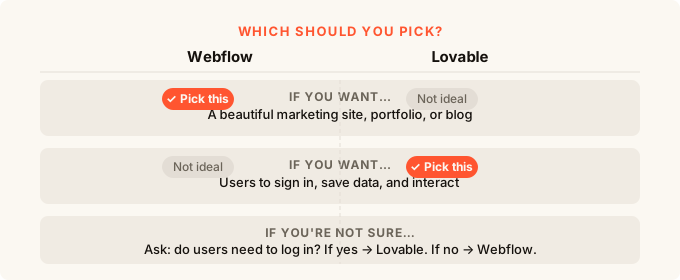
Here’s a simple way to decide. Ask yourself: will visitors to your project be able to create an account, save something personal, or interact with other users? If yes, you’re building an app. Webflow is not the right tool.
If your project is a showcase, a portfolio, a landing page for a product, or a blog that needs to rank on Google, Webflow is the right tool. It’s very good at those things.
If you’re not sure where to start, how to build an app without coding covers the full landscape in plain terms.
When to pick Webflow
Pick Webflow if you are building a marketing site, a content-heavy site with a blog or editorial section, a portfolio, or a landing page where SEO and visual polish are the priority. Pick it if you have design experience and want fine control over appearance.
When to pick Lovable
Pick Lovable if you are building something users interact with: a tool, a community, a platform, a dashboard, a game, or anything where people sign up, save things, or work together. Pick it if you want to describe what you want and have the AI build it for you.
For a broader look at what’s out there, the best AI app builder for 2026 guide covers Lovable alongside its closest competitors and helps you compare based on what you’re actually building.
FAQ
Can I use Webflow to build an app with user accounts?
Technically yes, but it requires integrating multiple third-party tools that add cost and complexity. Webflow wasn’t built for this and it shows. If you need user accounts, you’ll have a much easier time with an AI app builder like Lovable that includes this out of the box.
Can Lovable build a good-looking marketing site or landing page?
Lovable can generate a landing page, but it won’t give you the design control or SEO features that Webflow offers. If your whole goal is a beautiful, content-driven site that ranks in search, use Webflow.
Do I need to know how to code to use either tool?
No coding required for either. Webflow does have a learning curve around its own visual editor, but it’s not programming. Lovable works through plain-language chat, so the bar to start is about as low as it gets.
What if I want both a marketing site and an app?
A common setup is to use Webflow for your public-facing marketing pages (the homepage, blog, pricing page) and a separate app builder for the product itself (the thing users log into). They can coexist. Many real companies work this way.
Is Webflow good for beginners?
Webflow has a steeper learning curve than most people expect. It’s genuinely powerful, but learning it takes real time. If you want to ship something quickly without weeks of practice, an AI app builder will get you to a working product faster.
What are the main alternatives to Lovable for building apps?
The closest competitors to Lovable are other AI app builders. Lovable alternatives covers the options in detail, including how they compare on features, pricing, and ease of use.
What if I want a tool that works on my phone?
Neither Webflow nor Lovable is designed for mobile building. If you want to build and manage your app from a phone, omg.dev is worth a look. It’s an AI app builder with a mobile-first interface, built-in sign-in and data storage, and real-time features.